PennyGroove
Tuner Start jamming

Free guitar practice, right in your browser

Your guitar practice room, in a browser tab.

Jam with a real band in any key. Loop the hard bar of any YouTube lesson until it’s yours. Drill chord changes, scales, the fretboard and your ear, and tune up.

Free, with no sign-up and nothing to install. Real recorded drums, bass and guitars.

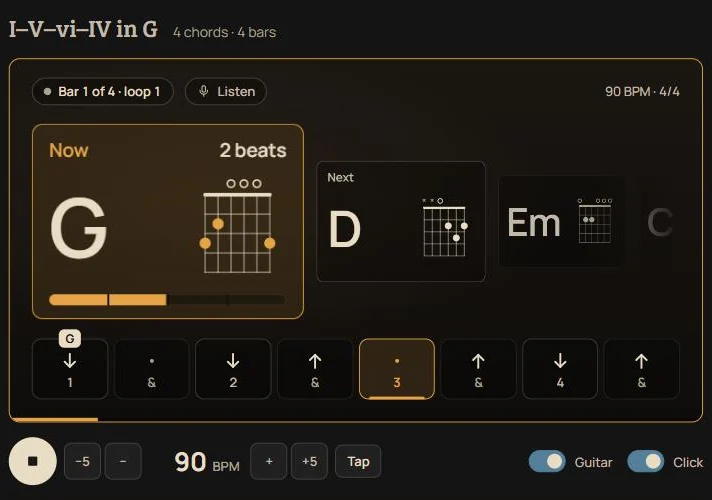
A jam track playing, pop in G: the chord playing now is big on the left with its beats counting down, and on each change the next one slides into its place, G, D, Em and C, while the four bars underneath light up in turn
  • The chord you’re on, and the beats left
  • The next ones, sliding in on the change
The Solo over it panel for the same track: G major pentatonic, position 1, with the notes of the chord playing ringed in amber, moving as the chords change, and any of its notes outside the scale ringed with a dashed line

Jam tracks

Jam with a band, in any key

A drummer, a bass player and a rhythm guitarist, ready whenever you are. Pick a style and a key and play over them for as long as you like.

  • Blues
  • Rock & metal
  • Pop
  • Funk & soul
  • Jazz & Latin
  • Reggae & ska
  • Country & folk
  • Ballads
  • 29 styles, from a blues shuffle to metal, bossa nova and ska, each with three progressions and a feel of its own.
  • Any key, and you can change it while it plays.
  • Real instruments: recorded drums, bass and guitars, not beeps.
  • The scale to solo with, on the neck, with the notes of the chord playing now ringed.
  • Play rhythm instead: mute the band’s guitar and strum along.
Start jamming

Video loops

Loop the hard bar of any YouTube lesson

YouTube is full of great guitar teachers. Paste a lesson, mark the bit you can’t play yet, and PennyGroove counts you in, loops it, slows it down and brings it back up to speed, with the chords scrolling under the video.

No link handy? Start with Penny Lane, loops ready

  • A count-in before every pass, and a rest after it.
  • Any speed from 25% to 150%, without the pitch going wobbly, and a speed trainer that brings it back up to tempo.
  • Your loops, saved with each lesson. One click and you’re practicing again.

Or drop in your own video file: it never leaves your computer.

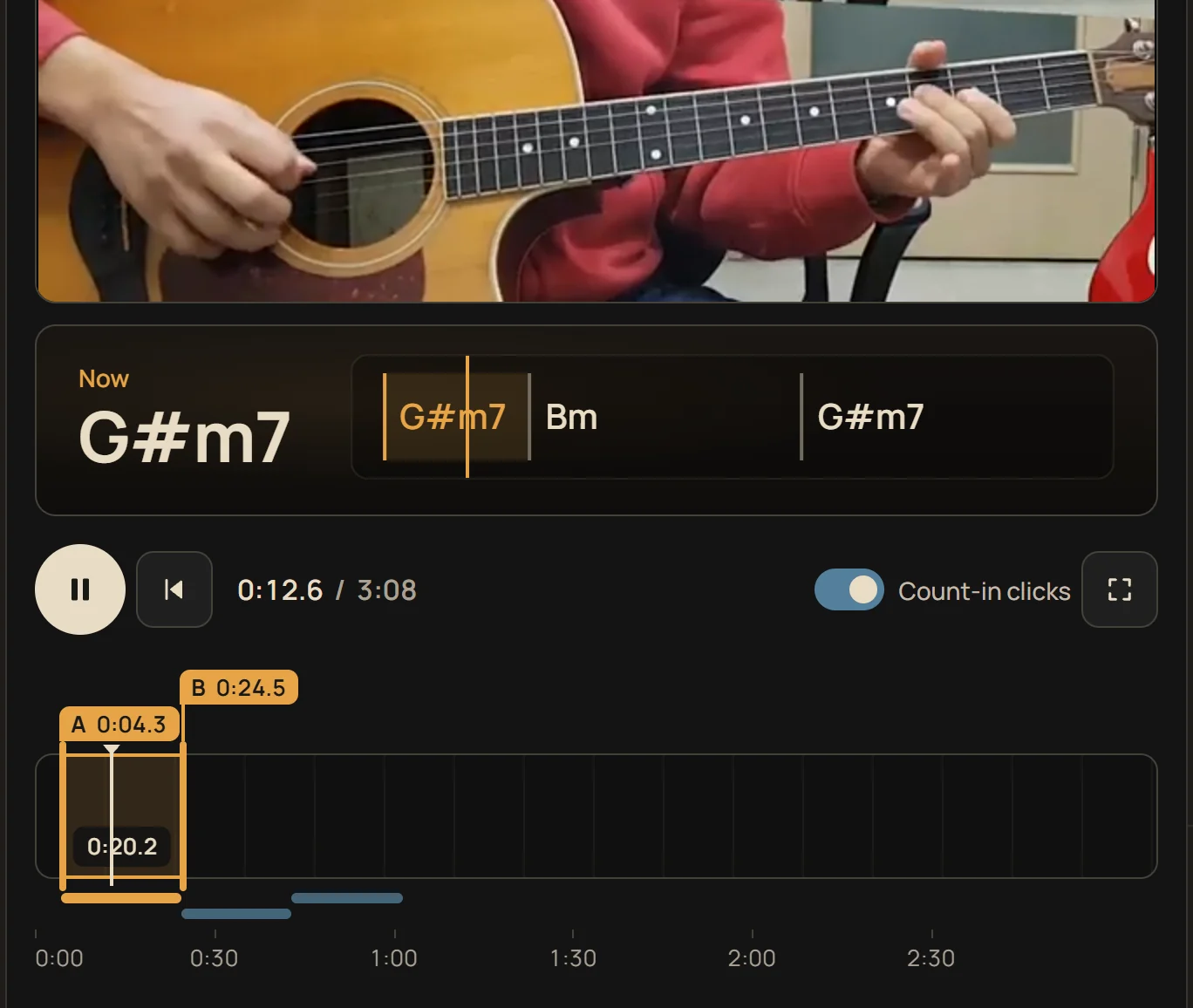
A close-up of PennyGroove looping the first verse of a Penny Lane guitar lesson from YouTube: the video, the chord being played now (G♯m7) with Bm coming next, and the loop marked on the timeline from A (0:04.3) to B (0:24.5)
  • The loop, from A to B
  • The chord you’re on, and what’s next
  • Saved loops for every lesson

Lesson shown: Penny Lane (chords) by Learning Guitar on YouTube.

Drill the fundamentals

Short, focused practice for the things every song is made of, built only for guitar. Each one has ready-made exercises, so you can start in one click.

Chord practice

Chord changes and strumming

27 ready-made charts, from I–V–vi–IV to your first barre chord, strummed by a recorded guitar. The chord you’re on stays big, the next ones slide in, and change trainers speed up as you get it. Whole songs too, searchable by name and genre, all out of copyright, with their words as you play.

Practice chord changes

Scale practice

Scales, position by position

The five pentatonic boxes, the blues scale, the major scale and its modes. Every note lights up on the fretboard and scrolls by as TAB.

Practice scales

Find the note

Learn the notes on the fretboard

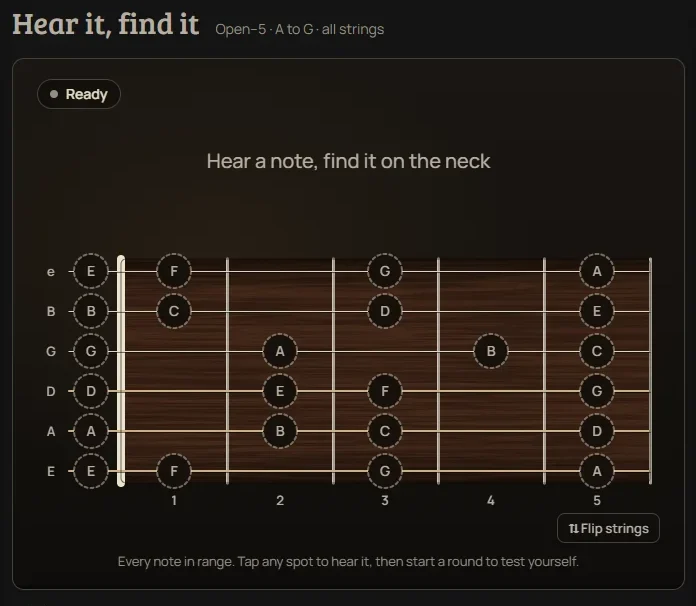
Hear a note and find it, name a marked spot, or play it on your guitar. A map of the neck shows which spots you know and which need work.

Learn the fretboard

Melody practice

Ear training with melodies

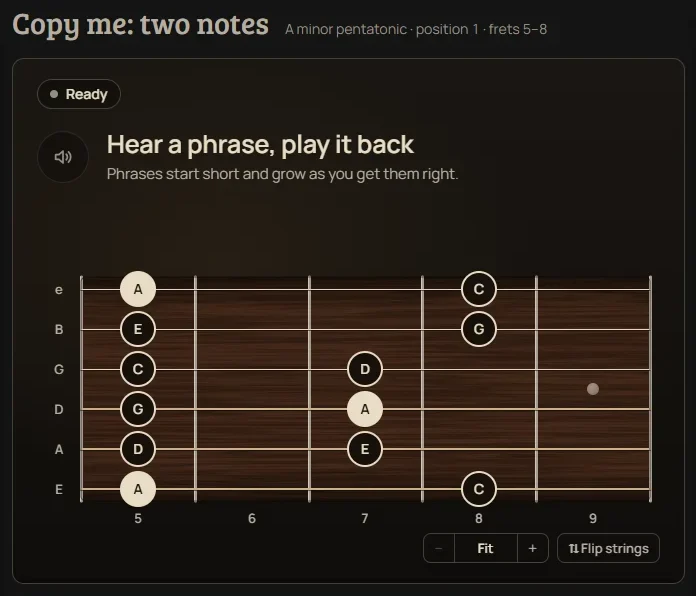
Hear a short phrase and play it back. Get it right and the phrases grow, from two-note warm-ups to blues licks by ear.

Train your ear

Holding a shape you can’t name? The chord finder names it as you tap it onto the neck, plays it, and puts it in a chart for you.

Not sure what to practice?

A 30-minute guitar practice routine

A good session touches a bit of everything: tune up, learn the neck, work on the fundamentals, spend the most time on the song you’re learning, then let loose over a band. Here’s one way to spend half an hour, with a tool for every step.

  1. 2 min · Tuner

    Tune up

    Open the tuner and play each string until it goes green.

    Open the guitar tuner
  2. 4 min · Find the note

    Learn the neck

    One round on the low E and A strings, where most chords have their root.

    Find the note
  3. 6 min · Scale practice

    Run a scale

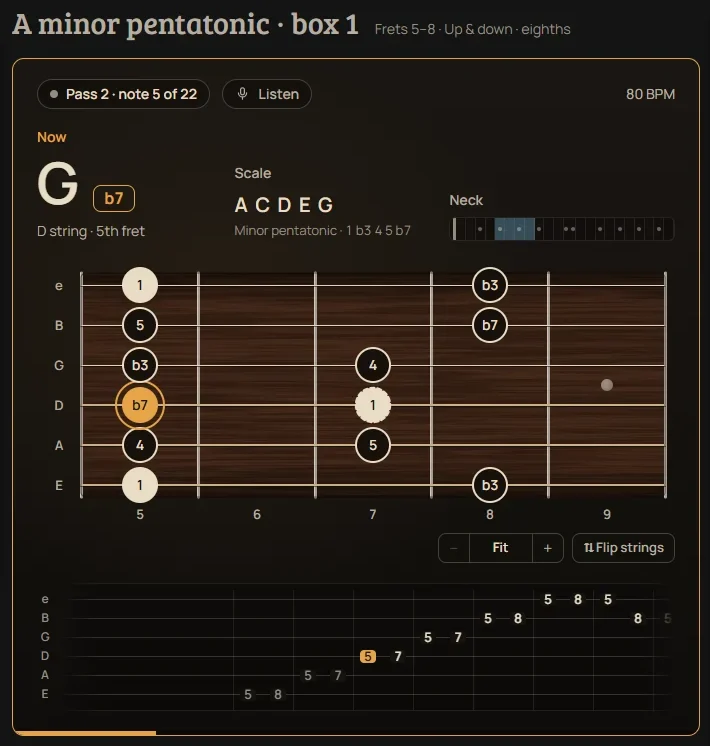
    A minor pentatonic, box 1, up and down at 80 BPM. Turn on Listen and go for one clean pass.

    Scale practice
  4. 6 min · Chord practice

    Drill a chord change

    The G to C change trainer at 60 BPM. Let the tempo trainer add a few BPM every few loops.

    Chord practice
  5. 8 min · Video loops

    Work on your lesson

    Loop the part of this week’s lesson you can’t play yet. Start at 75% and let the speed trainer bring it up.

    Video loops
  6. 4 min · Jam tracks

    Finish with a jam

    A blues shuffle in A. Play box 1 from earlier over it, and aim for the ringed notes as the chords change.

    Jam tracks
Start this session

Each step opens with its exercise ready, and a bar at the top keeps time. You can change any of it before you start.

Listen mode

Play along. It listens back.

Switch on Listen in chord or scale practice and PennyGroove hears your guitar through the microphone. Every note and strum gets a mark, so you can fix it before it turns into a habit.

Pass 315 of 16 notes right · a touch ahead of the beat
  • On time
  • Early
  • Late
  • Wrong note
  • Missed

The microphone is only on while you’re listening or tuning.

A guitar tuner, built in

Open it from the top of any page, or on its own page. Standard tuning, drop D, DADGAD and five more.

Open the online guitar tuner

Questions

Is PennyGroove free?

Yes. All six practice tools, the chord finder and the tuner are free to use in your browser, and you don’t need an account.

Can I practice soloing and improvising?

Yes. Jam tracks play a drummer, a bass player and a rhythm guitarist in any key, and show the scale to solo with on the neck, position by position, with the notes of the chord playing now ringed.

What styles of backing track are there?

Twenty-nine, in eight genres: twelve kinds of blues, from shuffles, rhumba, funky and jump blues to five slow ones (slow, slow minor, heavy, gospel and after-hours); rock, hard rock, punk and metal; pop and dance pop; funk and Motown soul; jazz swing and bossa nova; reggae and ska; country and folk; and three kinds of ballad. Each has three chord progressions, in any key.

Are the instruments real?

Yes. The drums, bass and guitars are recordings, from sample libraries their makers gave away for anyone to use. The credits page names them all.

Which YouTube lessons can I use?

Any video whose creator allows it to be played on other sites, which covers most guitar lessons. It plays in YouTube’s own player, credited to the creator, with a link back to YouTube.

Can I use my own lesson videos?

Yes. Drop an MP4 onto the page. It’s kept in your browser so it’s in your library next time, and it’s never uploaded anywhere.

Do I need to install anything?

No. PennyGroove runs in your web browser. Listen mode and the tuner use your computer’s microphone.

Does it have a guitar tuner?

Yes. Open it from the top of any page, or use the tuner page. It covers standard tuning, drop D, half and whole step down, drop C, DADGAD, open G and open D.

Acoustic or electric?

Either. The guitar you hear is recorded: steel or nylon acoustic, 12-string, clean or crunchy electric, or palm muted.

Is it just for guitar?

Yes, on purpose. Every tool is designed around six strings and the fretboard, from the scale boxes to the tuner.

Pick up your guitar. The band’s ready.

Pick a style and a key and play along, or loop the lesson you’re working on.